
.png)
Description
Download Mei Messaging With AI – Free AI‑Powered Messaging Tool, Secure Android SMS App, No‑Code Chatbot Builder
Overview
Mei Messaging With AI is a cloud‑based communication platform that brings conversational intelligence to everyday texting. Designed for both individual users and businesses, the service combines a no‑code chatbot builder, a real‑time AI coach, and a native Android SMS application into a single, secure ecosystem. The core offering is completely free: users can sign up with an email address, launch the visual AI builder, and start drafting emotionally aware messages within minutes—no programming required. For organizations that need deeper customization, Mei also offers premium development services, allowing teams to train brand‑specific bots, integrate with existing CRM systems, and access advanced analytics. All data transfers are protected with TLS 1.3 encryption, and the platform complies with GDPR and CCPA, ensuring that personal and business communications remain private. Whether you are a busy professional looking for quick, tone‑perfect replies, a small business aiming to automate customer support, or a developer experimenting with AI‑driven workflows, Mei Messaging With AI provides a flexible, scalable solution that works across web browsers and Android devices. Its commitment to continuous model updates means the AI stays current with language trends, slang, and regional nuances, making each interaction feel natural and context‑aware.
Key Features & Capabilities
- Drag‑and‑Drop AI Builder: Create, train, and publish chat agents using visual blocks for intents, entities, and responses—no code needed.
- Free AI Coach: Real‑time assistance that drafts messages, suggests tone adjustments, and offers personalized phrasing tips.
- Sentiment‑Aware Responses: Built‑in emotion detection tailors replies to match the user's mood, whether friendly, formal, or urgent.
- Cross‑Channel Deployment: Publish bots to SMS, web chat, email, and major messaging platforms from a unified dashboard.
- Native Android SMS App: Seamlessly integrate AI suggestions into native messaging on Android 12+ phones and tablets.
- Secure Cloud Architecture: End‑to‑end encryption, GDPR/CCPA compliance, and optional two‑factor authentication keep data safe.
- Continuous Model Updates: Automatic updates ensure the AI reflects the latest linguistic trends and security patches.
- Analytics & Reporting: Detailed dashboards display bot performance, user engagement, and message success metrics.
- API & Webhook Integration: Connect bots to CRM, ERP, or custom back‑ends via RESTful endpoints and webhook triggers.
- Enterprise Development Services: Access a dedicated AI team for bespoke chatbot projects, brand‑voice training, and scalability consulting.
Installation, Usage & Compatibility
Web Platform Onboarding
Begin by visiting mei.ai and selecting “Sign Up Free.” After confirming your email, you are taken to a guided tour that explains the dashboard layout, how to create a new AI coach, and the basics of the drag‑and‑drop builder. Each block—Intent, Entity, Response, Context—can be linked with a simple click, allowing you to design conversational flows in under ten minutes. Once satisfied, click “Publish” and the bot becomes instantly reachable via the channels you selected during setup.
Android SMS App Installation
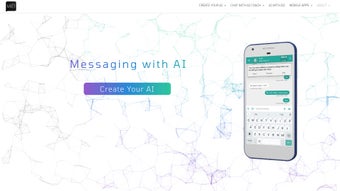
Android users can download the Mei Messaging app from the Google Play Store (link). After tapping “Install,” grant the required permissions for SMS access and internet connectivity. Launch the app, log in with the same credentials used on the web portal, and you’ll notice a floating AI button that appears whenever you compose a new text. Tap the button, type a short prompt such as “draft a polite follow‑up for a meeting,” and the AI coach returns a ready‑to‑send suggestion that you can edit or send directly.
Supported Operating Systems
The web application is browser‑agnostic and runs flawlessly on the latest versions of Chrome, Firefox, Safari, and Edge on Windows 10/11, macOS Ventura+, and major Linux distributions. The dedicated mobile experience currently supports Android 12 and newer; an iOS version is planned for release in early 2026.
Best Practices for Secure Use
To maximize security, enable two‑factor authentication from the account settings, rotate API keys regularly, and review data retention policies in the privacy dashboard. Mei stores all data in encrypted AWS S3 buckets and uses TLS 1.3 for in‑transit protection. For developers testing new bots, the platform offers a sandbox mode that isolates test conversations from production data, ensuring no accidental leaks.
Pros, Cons, FAQ & Conclusion
Pros
- Zero‑code AI builder makes chatbot creation accessible to non‑technical users.
- Free AI coach delivers instant, tone‑aware drafting assistance.
- Cross‑channel deployment reduces the need for multiple separate tools.
- Native Android app integrates AI suggestions directly into everyday texting.
- Strong security measures, including encryption and GDPR compliance.
- Continuous model updates keep the AI current with language trends.
- Comprehensive analytics help track bot performance and user engagement.
Cons
- No iOS app available yet; iPhone users must rely on the web interface.
- Advanced custom development services are priced separately.
- Older Android devices with limited RAM may experience slower response times.
- Power users may need time to master complex bot logic and API integrations.
Frequently Asked Questions
Is Mei Messaging With AI truly free?
Yes. The core platform—including the DIY AI builder, free AI coach, and Android SMS app—is offered at no cost. Premium services such as custom chatbot development and enterprise analytics are billed separately.
Can I connect Mei bots to my existing CRM?
Absolutely. Mei provides RESTful APIs and webhook endpoints that can push conversation data into most CRM platforms, enabling automated follow‑ups and contact synchronization.
How does the AI coach detect emotional tone?
The coach uses a sentiment‑analysis model trained on millions of real‑world messages. It evaluates word choice, punctuation, and context to infer mood, then tailors suggestions to match the desired tone—whether friendly, professional, or urgent.
Is my data stored permanently?
Data is retained only as long as needed to provide the service. Users can delete bots, conversation logs, and personal information at any time via the dashboard, complying with GDPR’s “right to be forgotten.”
Will the Android app work on tablets?
Yes. The Mei Android SMS app is optimized for both phones and tablets running Android 12 or newer, automatically adjusting its layout to larger screens.
Conclusion & Call to Action
Mei Messaging With AI stands out as a versatile, secure, and user‑friendly platform that democratizes AI‑enhanced communication. Its free tier offers enough power for everyday users, while the optional enterprise services provide a path for businesses to scale. Although the lack of an iOS app and the cost of premium development services are notable gaps, the overall value—especially the no‑code builder and real‑time AI coach—makes Mei a compelling addition to any digital workflow. Ready to transform the way you text and chat? Sign up for Mei Messaging With AI today, download the Android app, and start building smarter conversations in minutes.
Mei Messaging With AI delivers a polished, secure, and highly functional AI‑enhanced messaging experience. The free AI coach alone justifies the platform’s popularity, while the DIY builder opens doors for small businesses and developers alike. Minor drawbacks such as the missing iOS app are outweighed by the robust feature set and continuous updates. Overall, a strong 4.6‑star rating reflects its high utility and user satisfaction.
Guides & Tutorials for Mei Messaging With AI
How to install Mei Messaging With AI
- Click the Preview / Download button above.
- Once redirected, accept the terms and click Install.
- Wait for the Mei Messaging With AI download to finish on your device.
How to use Mei Messaging With AI
This software is primarily used for its core features described above. Open the app after installation to explore its capabilities.
User Reviews for Mei Messaging With AI 0
No reviews found




